One workspace
Keep the main parts of your business connected.
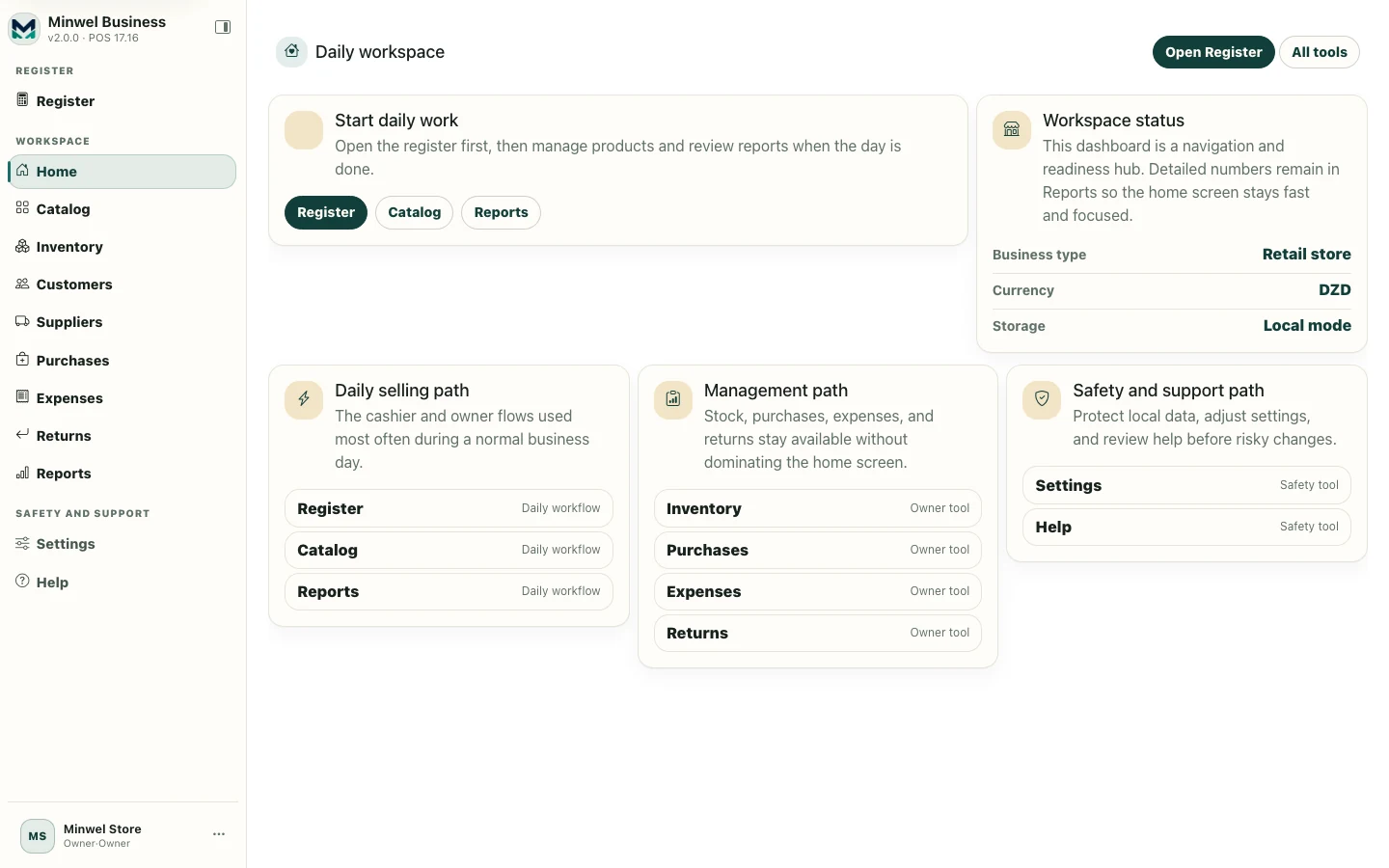
Bring sales, products, stock, customers, suppliers, purchases, expenses, returns, reports, and team access together in one adaptable workspace designed for everyday business.
Start with what you need. Adapt the workspace as your business evolves.


Keep the main parts of your business connected.
Spend less time navigating software and more time getting work done.
Use the capabilities that fit your business and adjust supported settings when needed.
Keep daily business data local and move it deliberately through backup, import, and restore.
Sales in one place, stock somewhere else, customer notes on paper, expenses in a spreadsheet, and reports built manually — small businesses often lose time because everyday work is scattered.
Minwel Business brings those workflows into one clear workspace so the information behind a sale can stay connected to the rest of the business.
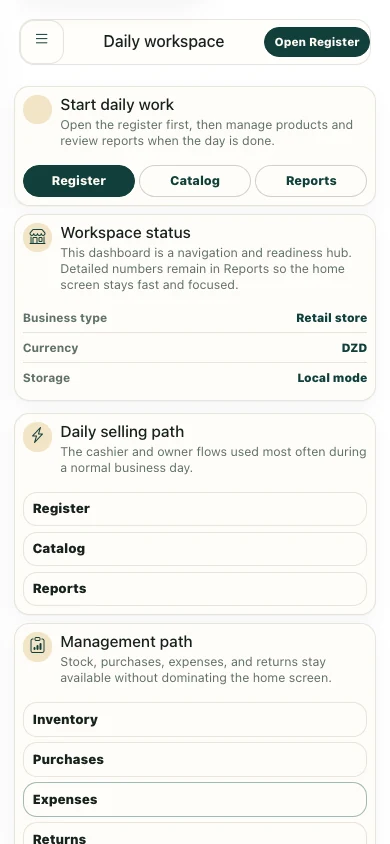
From the counter to the back office, work from the same business context.
Minwel Business organizes the product around the jobs you perform every day, not around technical modules you have to learn.
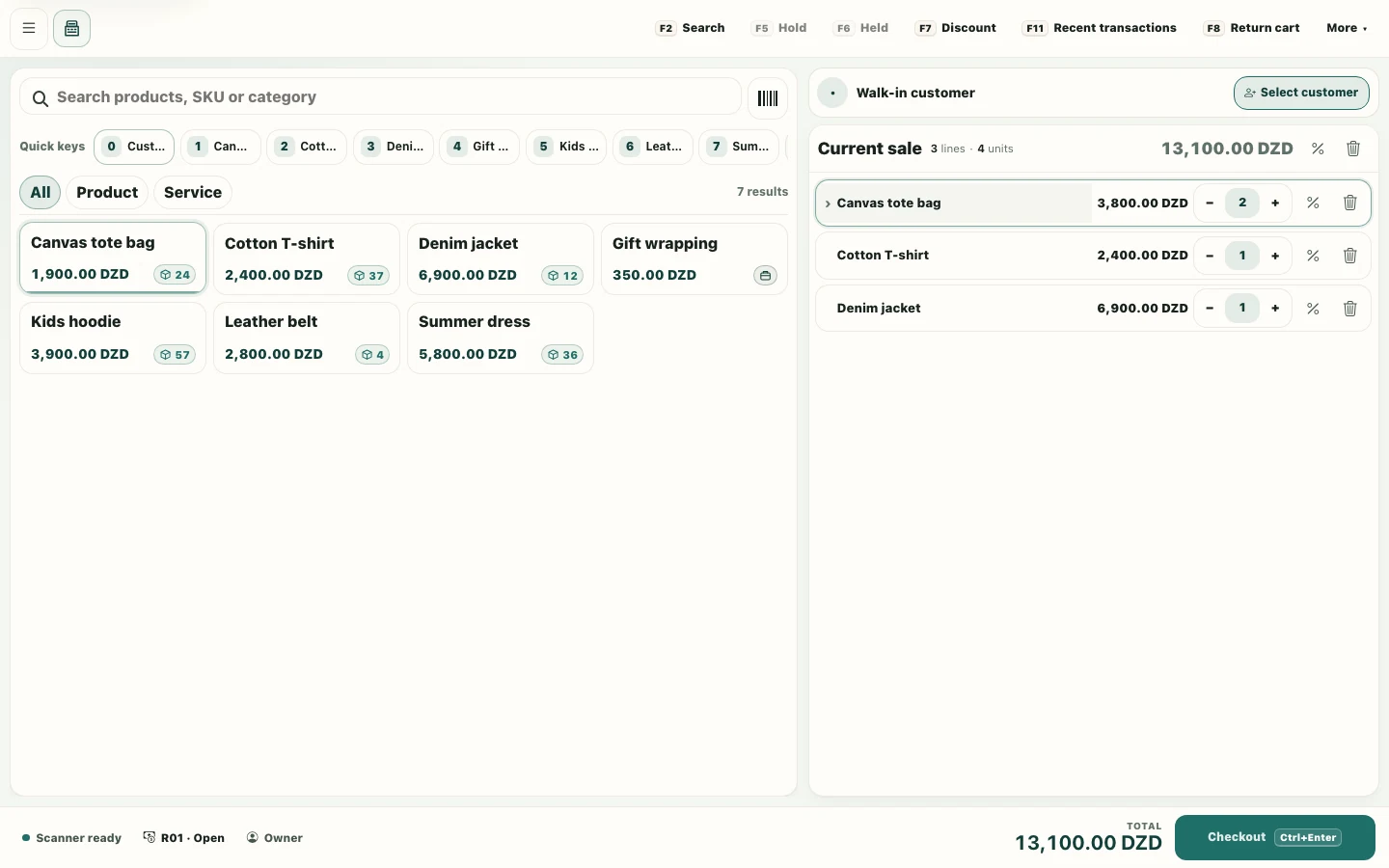
Run fast daily sales with product search, barcode workflows, cart controls, discounts, payments, receipts, recent transactions, returns, and register-session tools.
Organize products or services, categories, pricing, SKU/barcodes, stock levels, movements, adjustments, and inventory effects from purchases, sales, and returns.
Keep the people and businesses you work with inside the same operational workspace instead of separate lists and notes.
Record the incoming side of daily operations with supplier purchases, receiving workflows, expenses, and practical business records.
Handle operational return records and POS return/refund workflows with clear permission boundaries for sensitive actions.
Use the dashboard and operational reports to understand activity, stock, sales, and business movement without turning Minwel Business into a heavy accounting suite.
Explore focused views of the parts of Minwel Business you will use most.

Search, scan, build the cart, handle payments, and finish the sale with a compact workstation-oriented flow.
A small business should not have to configure an enterprise system before making its first sale. Minwel Business starts from a supported business profile and keeps the first setup focused. You can then adjust supported settings, capabilities, and access as the business needs more structure.
Choose the closest supported business profile instead of starting from an empty technical configuration.
Capabilities and settings help the workspace show the flows that matter to your operation.
Stay simple as a single owner, or enable multi-user access, roles, permissions, and protected actions when a team needs them.
Minwel Business is designed around local workspace data. Your business operations do not depend on hidden background synchronization. Backup, export, import, and restore are deliberate actions so data movement stays understandable.
Choose the closest active business profile during setup. Minwel Business uses the profile together with workspace settings and capabilities to present a more relevant starting point.
General retail, clothing, shoes and bags, accessories, home décor, furniture, jewelry, cosmetics and beauty-product stores.
Cafés, coffee shops, juice shops, and light snack shops.
Beauty centers, barbershops, and nail salons, including workflows that combine services and sellable products where supported.
Choose your language, local preferences, and a supported business profile.
Review the capabilities and settings that shape your workspace.
Prepare your catalog, customers, suppliers, stock, and other records you need.
Sell, purchase, record expenses, manage stock, handle returns, and follow activity from the same workspace.
Use reports, backups, settings, and access controls as your operation grows.
Choose an active business profile and create a local sample workspace with demo data. Explore the main workflows, test the interface, use it for training or presentations, and remove it when you are done.

Single-owner mode keeps everyday use direct. When more people need access, enable multi-user mode and manage users, role presets, custom permissions, account switching, and protected actions from the same workspace.
Give people the access they need without turning every user into an administrator.
The launch scope is intentionally practical. These answers reflect the product as it works today.
Minwel Business is a local-first business management workspace that connects daily selling with catalog, inventory, customers, suppliers, purchases, expenses, returns, reports, settings, access management, backup, and help.
No. Register/POS is the flagship daily selling workflow, but Minwel Business is designed as a broader business workspace around it.
The current validated profiles focus on selected retail and specialty retail businesses, cafés/coffee/juice/light snack shops, beauty centers, barbershops, and nail salons. Future profiles may be visible in the product roadmap but cannot be selected until their workflows are ready.
Yes. The demo path creates a local sample workspace using an active business profile and sample data for exploration, training, testing, and presentations.
Yes, supported business profiles can use sellable products, services, or a combination of both according to workspace capabilities and settings.
Yes. The default experience can stay in simple single-owner mode. Multi-user mode can be enabled when you need named users, roles, permissions, account switching, and protected actions.
No hidden cloud synchronization is part of the current launch scope. Business operations data is local to the workspace unless you deliberately export, import, restore, back up, or share it.
No. Its reports are operational summaries intended to help owners understand business activity. It does not currently claim full accounting, tax filing, payroll, or formal financial-statement workflows.
Use the built-in backup/export and restore/import workflows. The exact available format depends on the runtime, and Minwel Business previews and validates supported restore paths before data replacement.
The product guide and help documentation expand the workflows introduced on this page with detailed instructions, boundaries, and supported behavior.
Start with a real workspace or explore Minwel Business first with sample data.